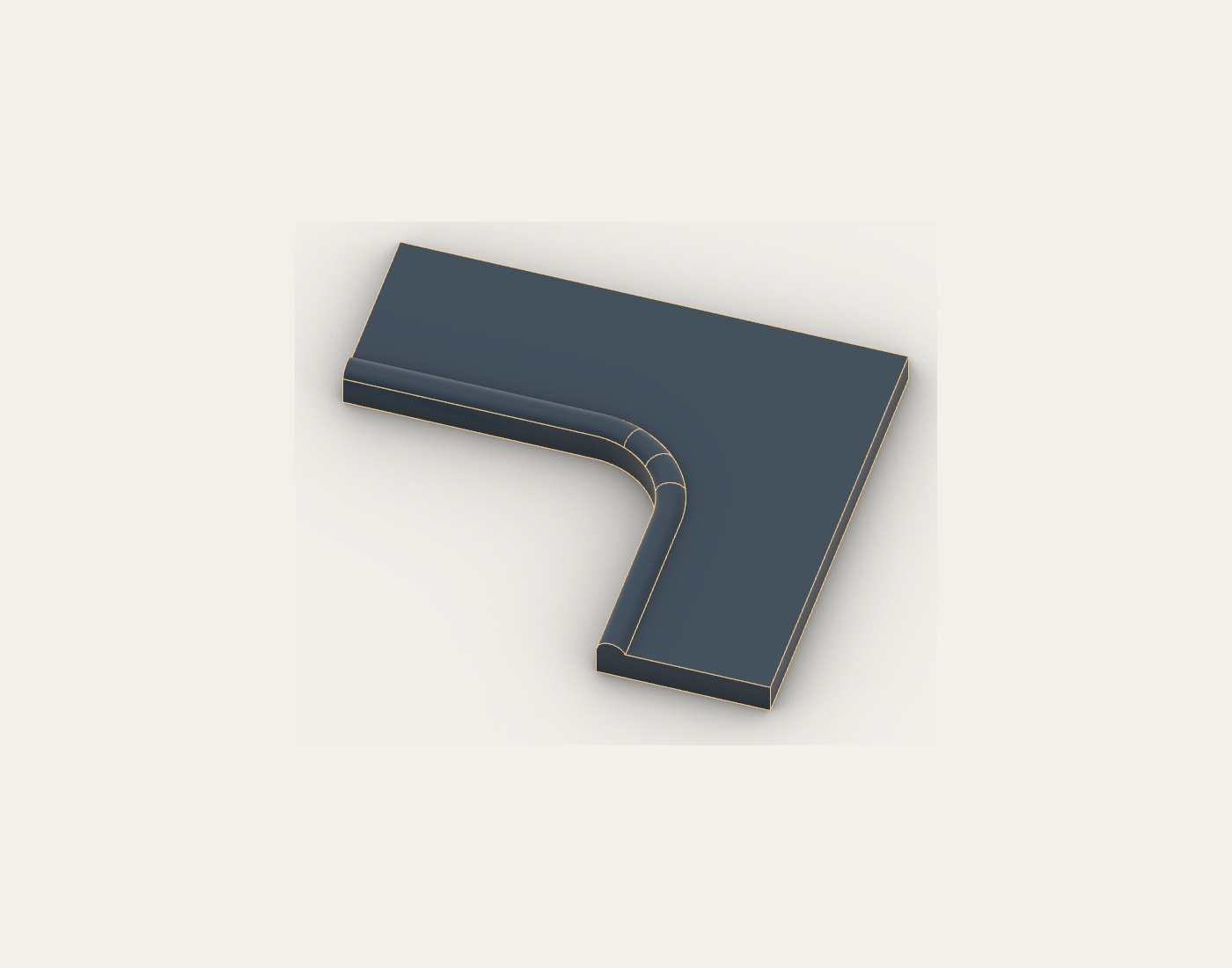
Choose the seams in 3D.
Review the roll and corner construction before developing the panels. The worked example shows three corner mitres and a continuous front border. Material demands remain part of the decision.
RHINO SOFTWARE FOR UPHOLSTERY · IN DEVELOPMENT
Your cushion.
Every panel connected.
From one cushion to a complete set. Explore the seam decisions, full panel developments and separate fabric nests in a connected Rhino workflow.
In development · independent CAD demonstrations
00:00:00 How will this be made? Explore the decisions behind every cushion panel.
00:00:03 Choose the seams in 3D. Review the roll, corner seams and front border before developing the panels.
00:00:07 Keep the parts recognisable. Side and rear borders sit beside their joining edges. The layout keeps the cushion understandable.
00:00:12 Know which edges belong together. Carried seam identities, paired match marks, panel letters and allowance outlines support assembly.
00:00:16 Give each fabric its own plan. Top and base fabrics have separate nests, widths and selvedge margins.
00:00:20 Take a closer look. Read the illustrated workflow. Challenge the seam choices. Tell me what your workshop needs.
FROM ONE CUSHION TO THE COMPLETE SET
Start with the individual cushion and its seam details. Then see both independent cushions, every developed panel and all four nesting alternatives.
00:00:00 How will this be made? Explore the decisions behind every cushion panel.
00:00:06 Choose the seams in 3D. Review the roll, corner seams and front border before developing the panels.
00:00:12 Keep the parts recognisable. Side and rear borders sit beside their joining edges. The layout keeps the cushion understandable.
00:00:18 Know which edges belong together. Carried seam identities, paired match marks, panel letters and allowance outlines support assembly.
00:00:24 From one cushion to the complete set. Two independent examples. 18 developed panels, 42 paired seams and 312 match marks.
00:00:32 Layout A - source relationships Side and rear borders sit alongside the edges they join. Whole cushion sets retain their relationships.
00:00:41 Layout B - main front chords along X Side and rear borders sit alongside the edges they join. Whole cushion sets retain their relationships.
00:00:50 Option A Nested Cushion groups kept close / Source layout A. Separate top and base fabric plans; selected top direction remains protected.
00:00:59 Option B Nested Cushion groups kept close / Source layout B. Separate top and base fabric plans; selected top direction remains protected.
00:01:08 Option C Nested Cushion parts freely mixed / Source layout A. Separate top and base fabric plans; selected top direction remains protected.
00:01:17 Option D Nested Cushion parts freely mixed / Source layout B. Separate top and base fabric plans; selected top direction remains protected.
00:01:26 Explore the complete workflow. Inspect the complete plans and measured review. Tell John what your workshop needs.
Save or print the new 12-page illustrated guide, from the individual cushion through the complete plans and nests. The ten-page measured development review provides the supporting detail.
BUILT AROUND PRACTICAL UPHOLSTERY METHODS
Review the roll and corner construction before developing the panels. The worked example shows three corner mitres and a continuous front border. Material demands remain part of the decision.
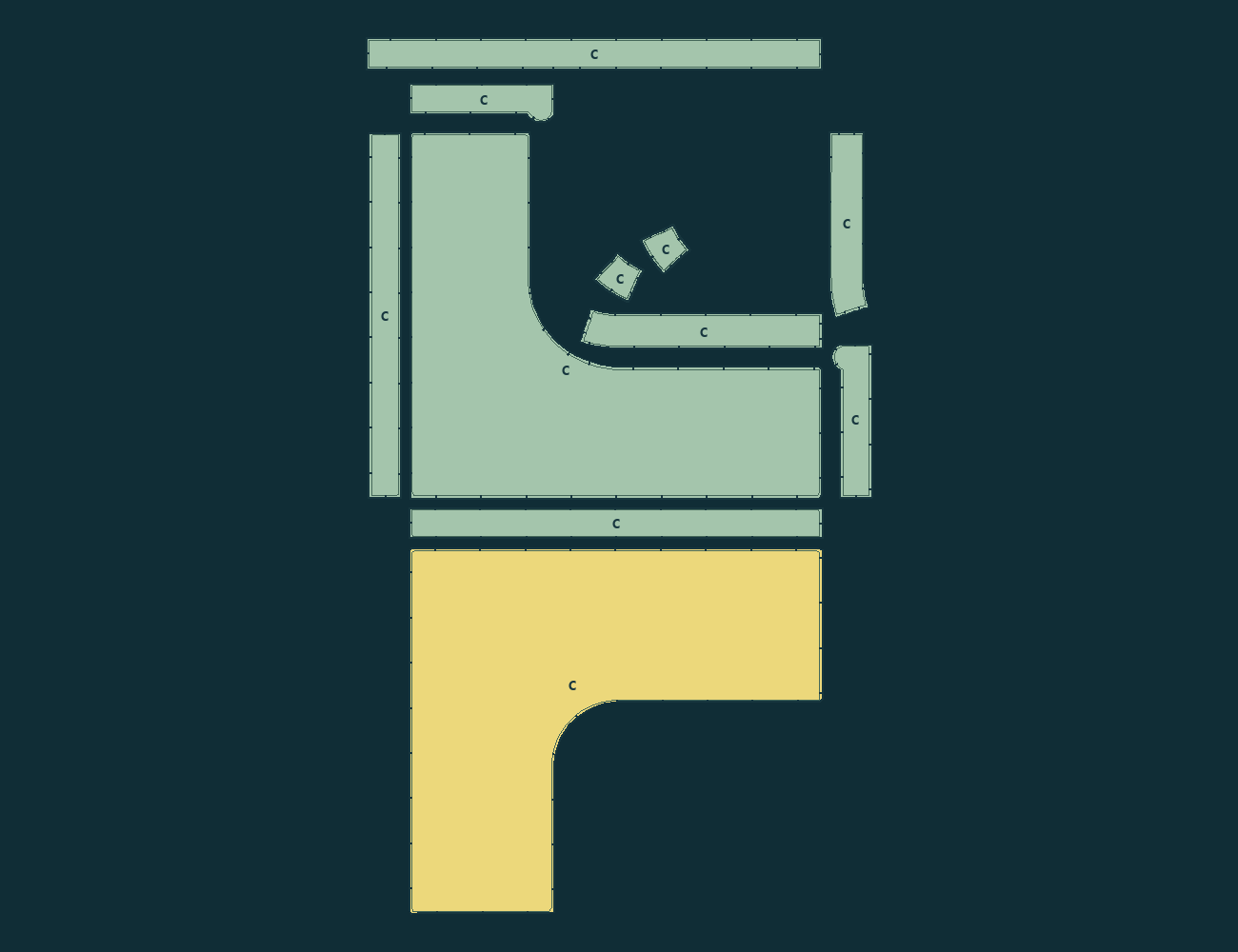
Side and rear borders sit beside the edges they join. For a wraparound roll, direction comes from the main front run before the corner and side return.
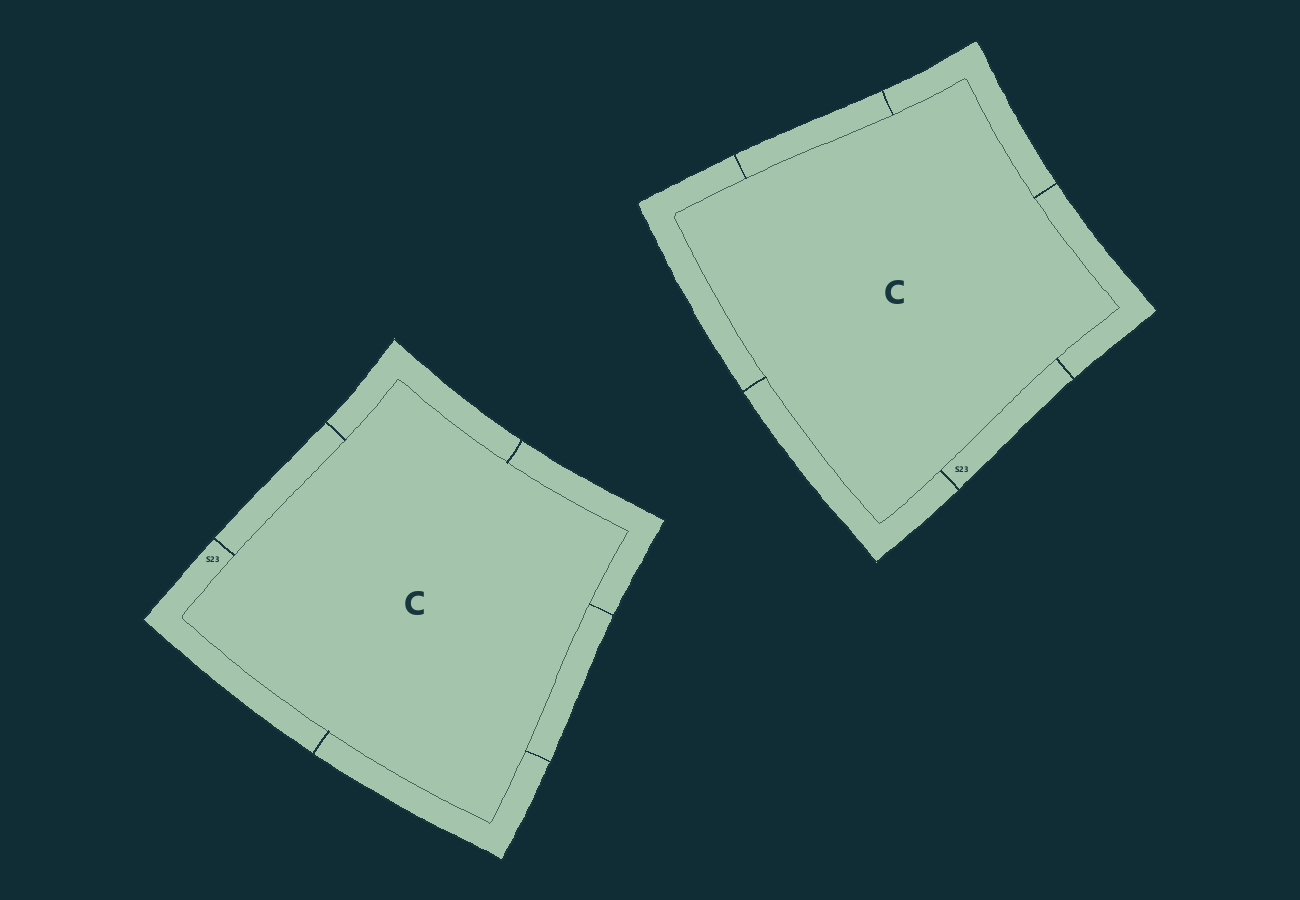
Carry seam allowances, paired match marks, seam identities and cushion letters with each panel. The examples retain the cut and stitch outlines and their source relationships.
The two independent examples, A and C, contribute 18 panels, 42 paired seams and 312 match marks. The illustrated internal-return example C has 11 panels. These are calculated CAD demonstrations, not sewn products or approved cutting patterns.
ONE CUSHION IS ONLY THE BEGINNING
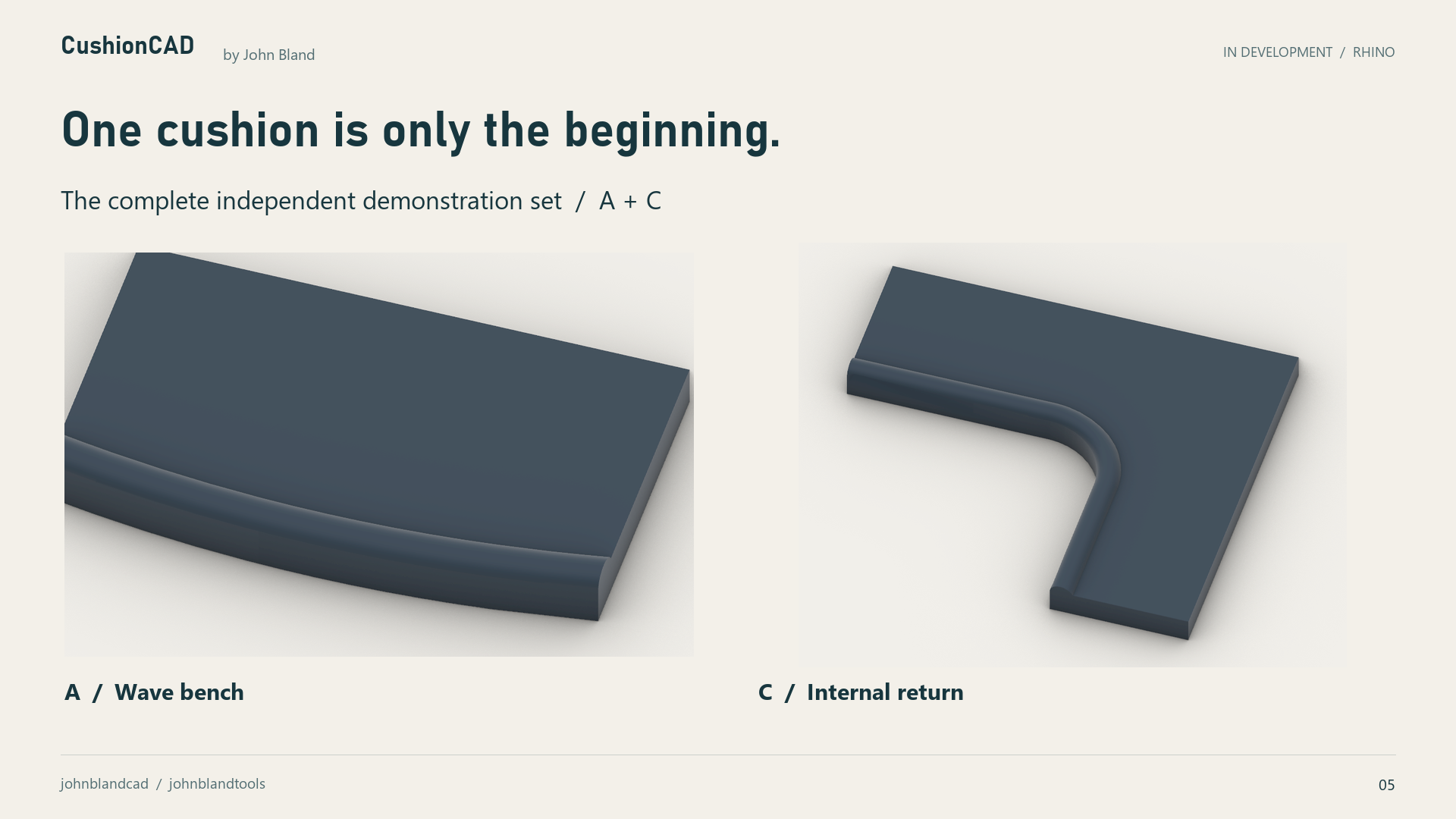
The wave bench A and internal return C are independent worked examples. Follow both cushions through the same connected process.
EVERY PANEL, STILL PART OF THE CUSHION
All 18 panels are shown in each layout. Side and rear borders remain beside the edges they join, with yellow bases and green upholstery pieces, fabric face up.
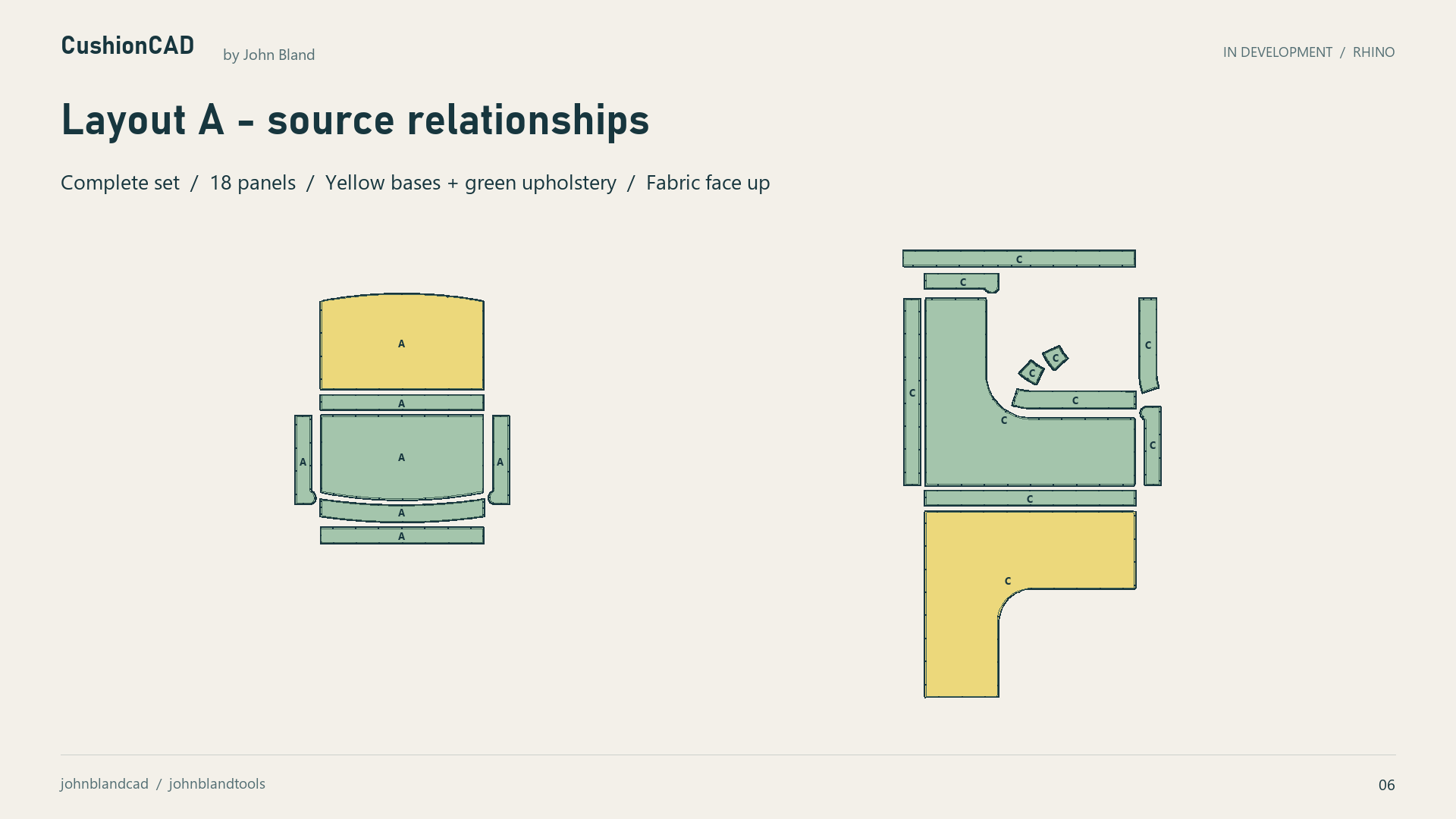
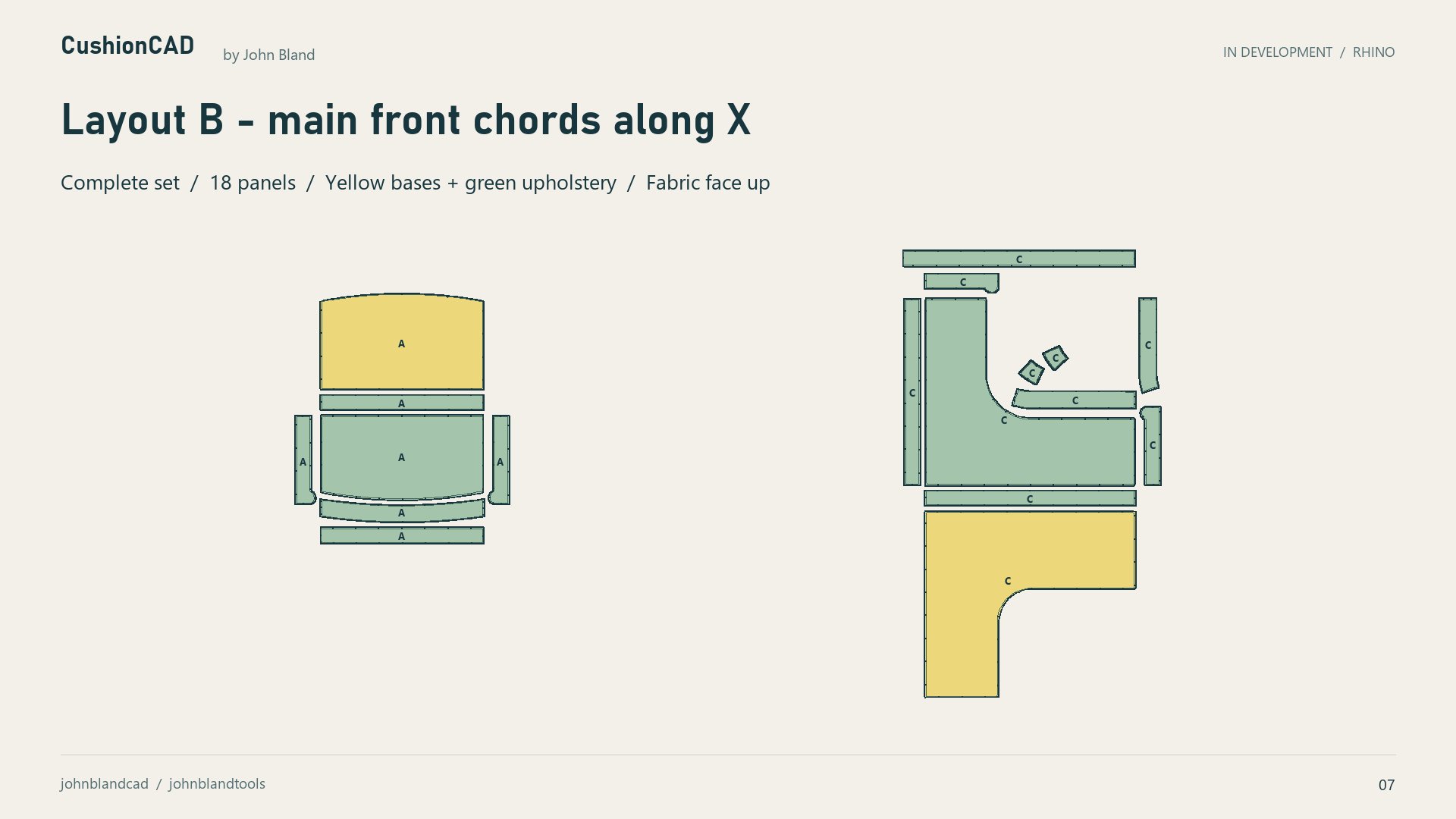
10 mm seam allowances, carried seam identities, paired match marks and panel letters support review and assembly. Fabric suitability and cutting decisions still require professional review.
TWO FABRICS. FOUR WAYS TO PLAN.
Every option contains all 18 panels, with top and base fabrics shown separately. Compare keeping cushion groups close with mixing their parts.
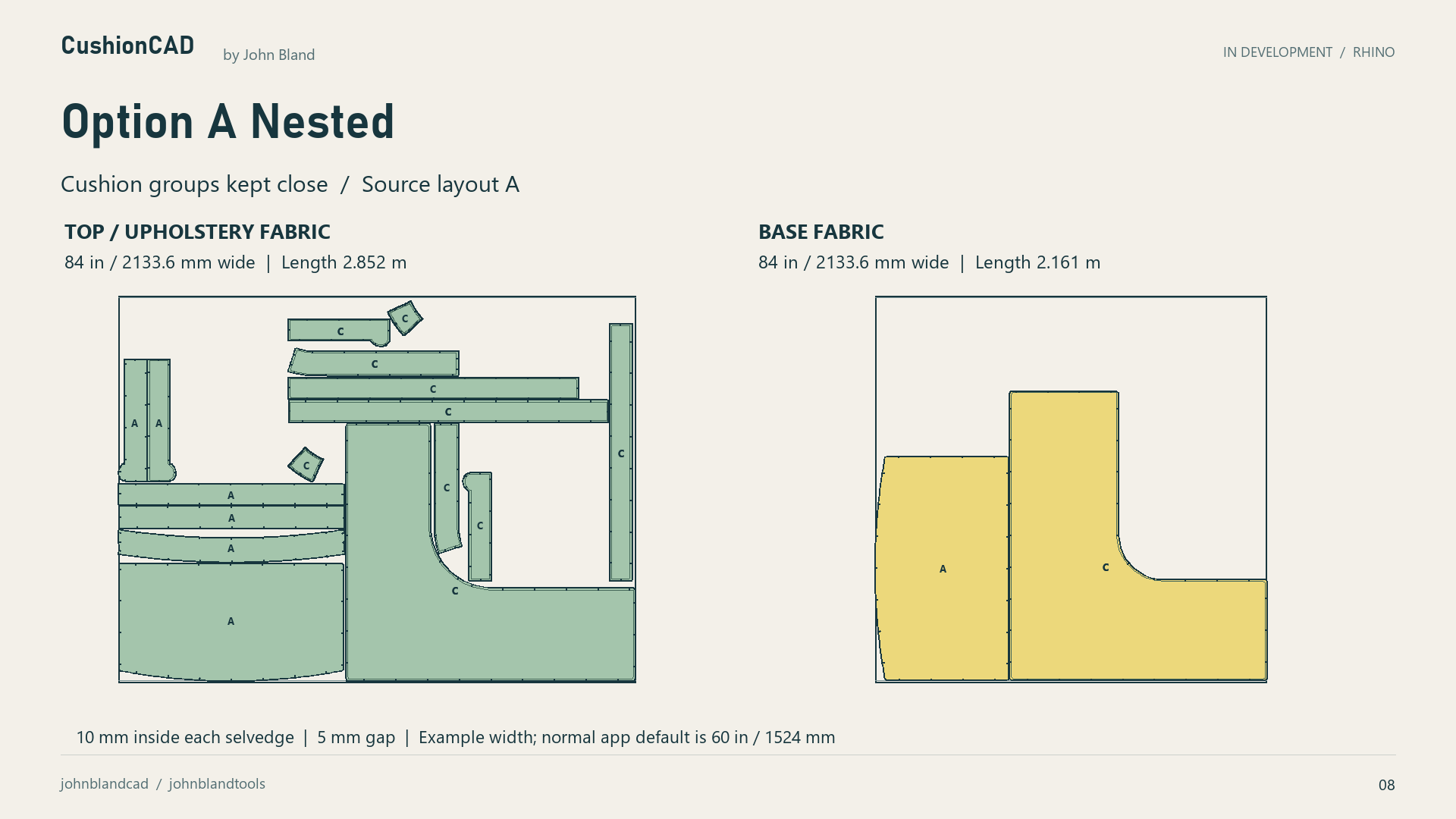
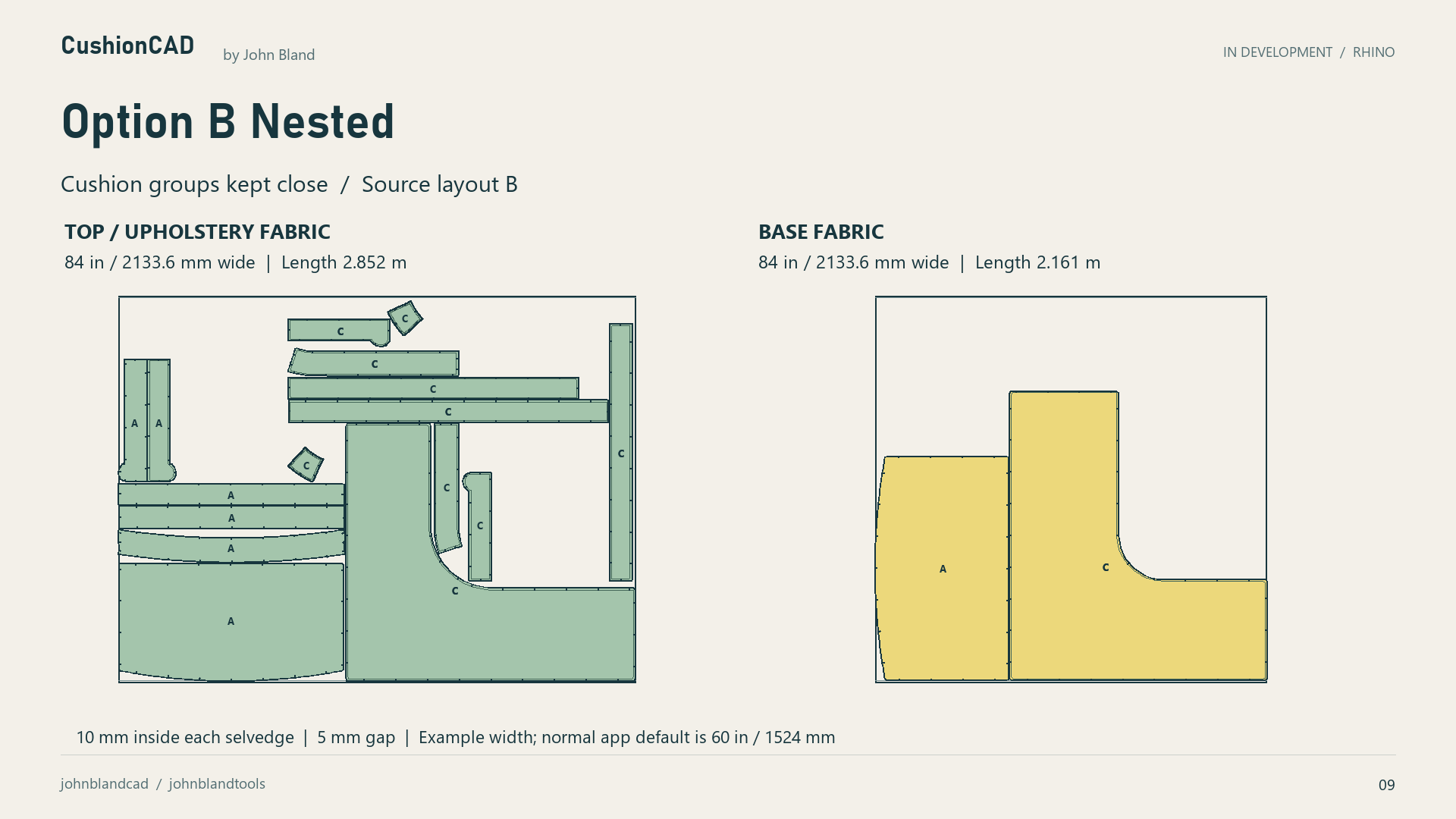
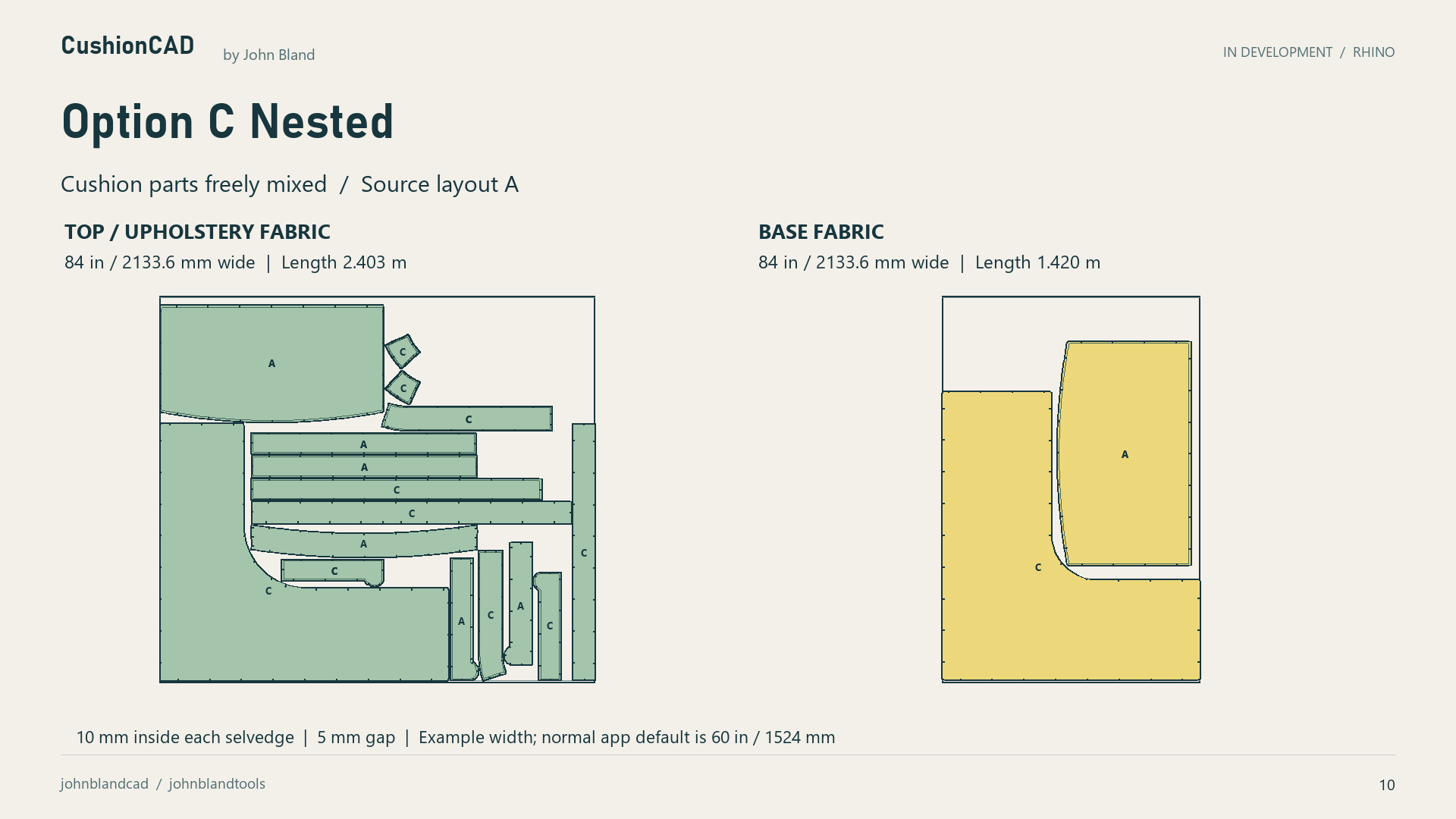
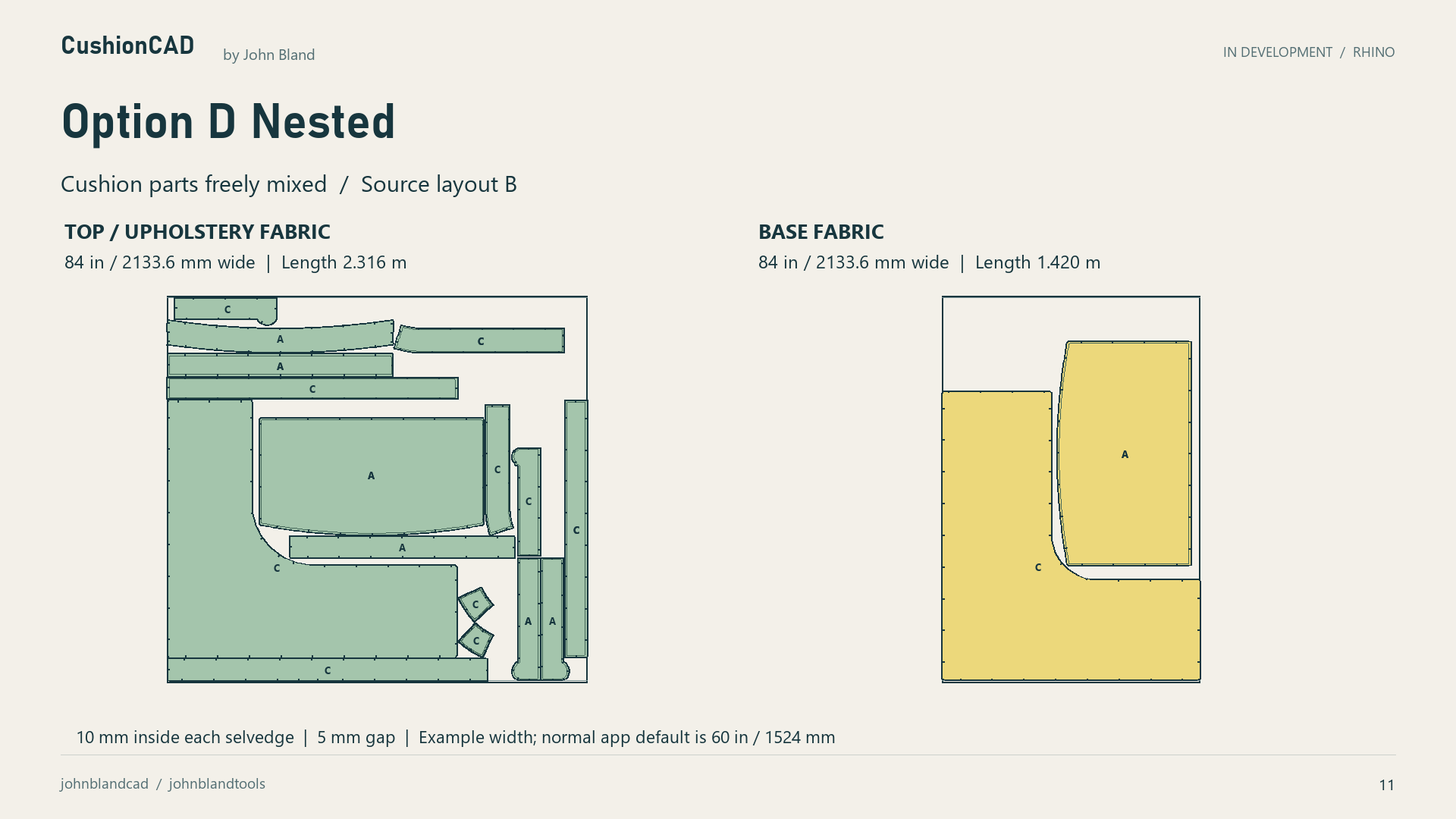
These examples use 84-inch / 2133.6 mm stock, 10 mm inside each selvedge and a 5 mm gap. The normal app default remains 60 inches / 1524 mm. Bases can be locked, turned in 90-degree steps or use a bounded free-angle search; top, roll and front-border directions remain controlled.
The layouts differ in grouping and source arrangement. They are not a rotation-only before-and-after comparison, a universal saving or proof of optimal packing. Directional base fabrics should use Locked; no automatic stripe-matching claim is made. Actual fabric demands and cutting decisions require review.
Tell John what your workshop needs →AN INVITATION FROM JOHN
I’m bringing the cushion design and flattening methods I teach into a connected Rhino workflow. I’d like you to look closely at the examples, challenge the seam choices and tell me where this would help your business.
CushionCAD is in development for Rhino. Material and cutting decisions require review; the examples do not establish fabric acceptance or production-ready results for every shape.
The grouped B and mixed D base layouts use the same explicit 84-inch stock width but differ in grouping. Their lengths are not a rotation-only comparison or a universal saving. The normal stock-width default remains 60 inches; free-angle nesting uses a bounded search.
LET’S TALK ABOUT YOUR WORKSHOP
If you work with cushions or upholstery in Rhino, I’d welcome a conversation about the steps you find repetitive and the decisions you need to keep control of.
CushionCAD is in development. No public installer or CAD download is available here.