Online Rhino CAD tuition for marine canvas, upholstery and decking.
Learn Rhino with me using your own boat cover, upholstery, synthetic teak decking or marine flooring projects. Complete beginner or experienced maker—we’ll start where you are.
We work together over Microsoft Teams. Sessions can be recorded with your consent; in-person tuition is available by arrangement.
John Bland · Marine canvas experience since 1981.
“Coming into this as a complete novice with limited computer skills, I didn’t expect to be creating plotter ready files by the end of the course but that’s exactly what happened.”
“We've gone from making physical patterns by hand to being able to scan and create digital canopy patterns, which is a big step forward for our business.”
“The training has been clear, practical and easy to follow.”
James Torevell and the team at Amtrim have been working with me to move from traditional physical patterning towards digital canopy patterns using Leica iCS50 and Rhino 8. Our sessions focus on applying the equipment and software to the boat-cover work they actually make.
Using Leica iCS50—or considering it for your workshop? Ask me about practical Rhino tuition and workflow consultancy.
From Rhino designs to finished boat covers and enclosures: client projects, their training experiences and the practical help I offer with your own work.
YouTube loads only when you choose to load the video. Privacy & cookies.
A short introduction to my background, one-to-one tuition and practical CAD consultancy. Whether you’re starting out or improving your workshop process, we can work together at your pace.
YouTube loads only when you choose to load the video. Privacy & cookies.
Rhino training for marine canvas, upholstery and decking
We can start with the basics or concentrate on a part of your CAD process that needs more attention.
Boat covers, sprayhoods, dodgers and biminis
Work from measuring data to curves, surfaces and framework for sprayhoods (often called dodgers), biminis and cockpit enclosures. Review window layouts, panel shapes, unrolling and the details you need for your workshop.
I have worked with companies in these industries. We can use your own measured or scanned data to work on Rhino curves, outlines, design and template preparation around your production process.
Tell me what you can already do and what you are finding difficult. We’ll agree the subjects before I confirm your booking.
Getting started
Finding your way around Rhino, working accurately, organising a model and drawing the curves you need.
Surfaces and patterns
Preparing measuring data, constructing clean surfaces, checking that they unroll correctly and developing panels for the workshop.
Framework
Designing the supporting frame and understanding how its shape affects the canvas, windows and fittings.
Using measured or scanned data
Bring Proliner or Leica iCON iCS50 measurements, Polycam meshes, processed PhotoModeler data or other suitable boat scans into Rhino. Check units, scale and alignment before constructing the design.
Learn with me from wherever you’re based. Most tuition takes place one-to-one over Microsoft Teams, using screen sharing to work through your CAD projects together. With your consent, sessions are recorded and shared with you to revisit afterwards. There’s no need to travel, although you’re welcome to attend in person by arrangement.
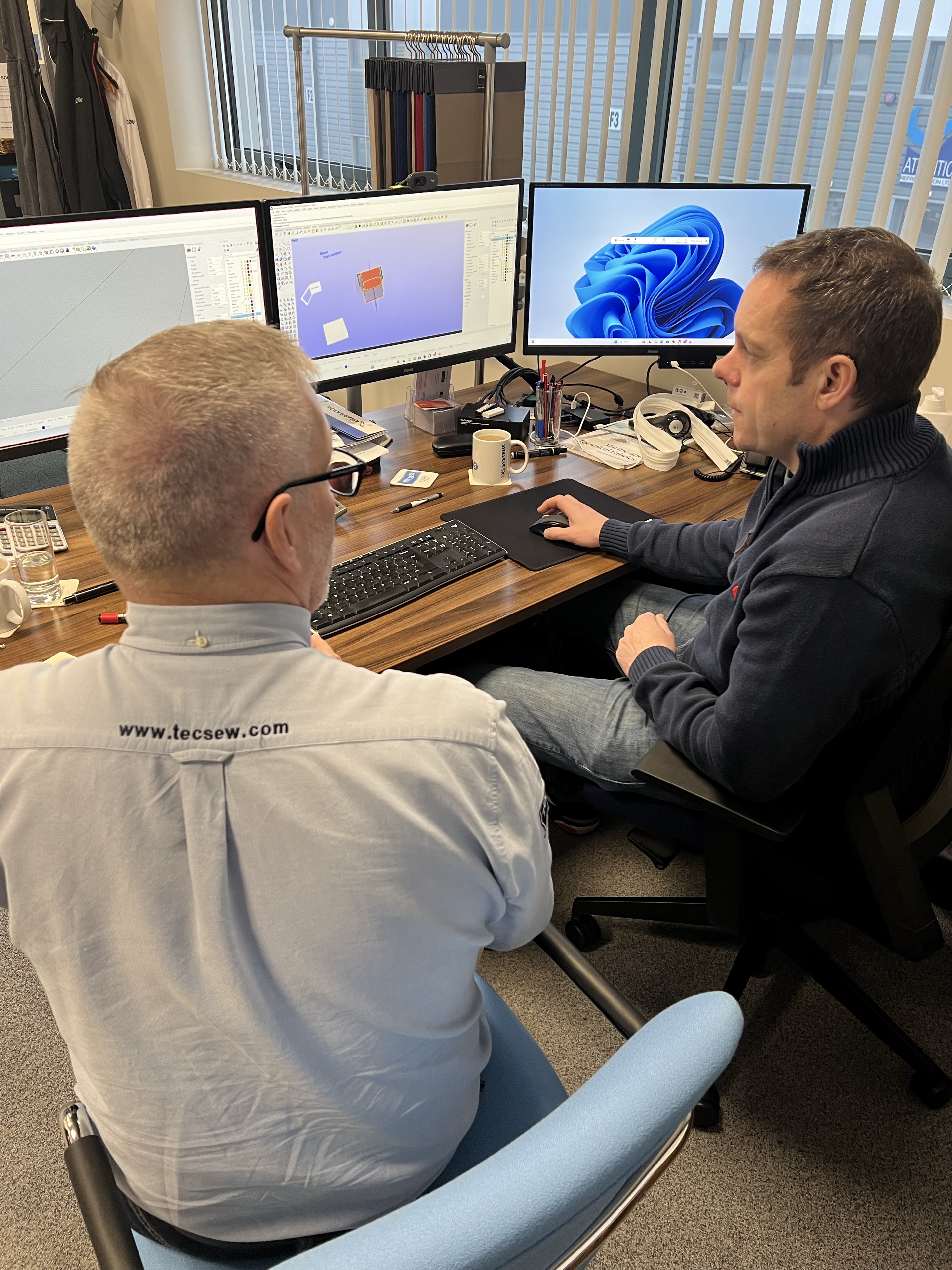
See an in-person lesson with Steve Douthwaite
Most lessons are online. Steve attended a two-day, one-to-one course; you’re also welcome to discuss attending in person.
Working with Steve Douthwaite during his two-day, one-to-one CAD course.
Teaching makers internationally
I’ve taught students in the UK and across 13 other countries: the USA, Canada, Australia, New Zealand, Brazil, the Netherlands, Greece, Spain, Croatia, Norway, Sweden, Poland and Slovakia.
We agree session times to suit our time zones.
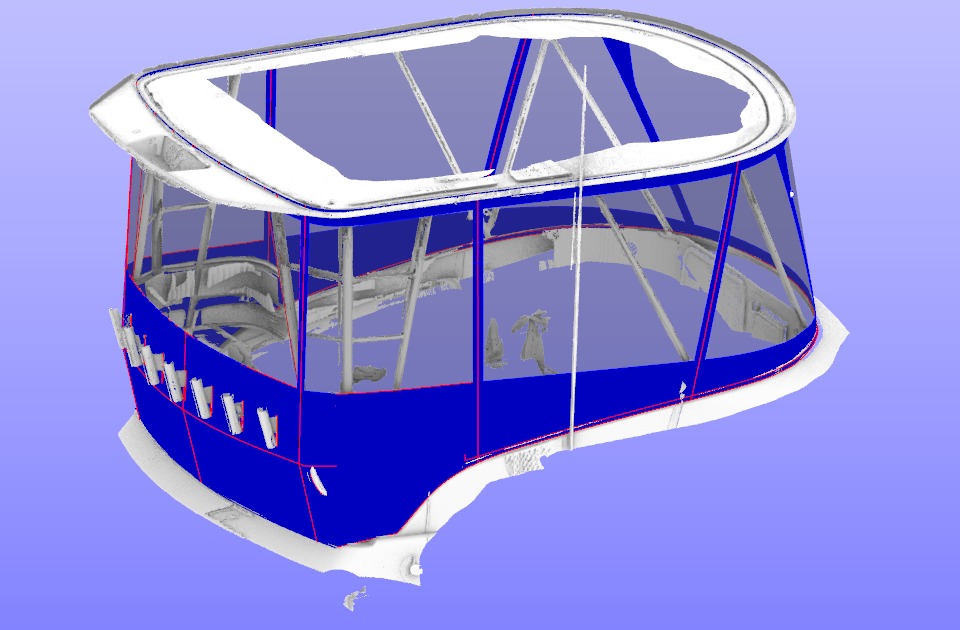
From the 3D model to the nested cut file
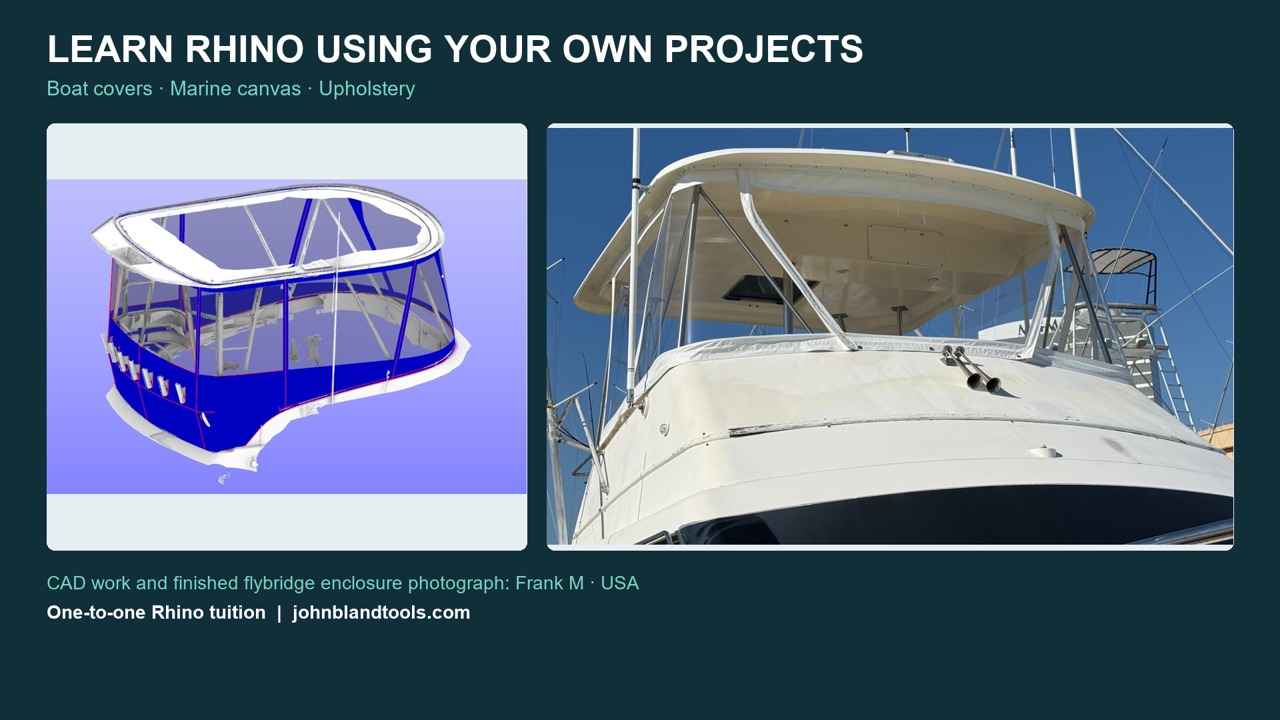
Examples from Frank’s CAD work.
A fully enclosed flybridge, designed over the boat scan.Cover panels nested for cutting.
Choose a time and tell me about your experience and goals. I’ll review your request and confirm personally by email. For longer sessions or a course, add a note to your request.
TRAINING & DIGITAL ADOPTION
Grants and funding for CAD boat cover tuition
Could funding help with your Rhino CAD training? Several students I’ve worked with have successfully obtained funding towards their tuition through business skills or digital technology programmes in the UK and Ireland. Other countries may offer similar support.
Funding generally contributes towards part of the cost. Availability, eligibility and contribution levels vary by scheme, location and business circumstances. Previous awards do not guarantee that the same support is available now, or that your application will be approved.
Ask your local business adviser
Ask about support for staff skills, CAD training, digital adoption or improving your design and production workflow. Explain what you make and the practical skills you want to develop.
Get a tailored training outline
I can provide a quotation and an outline of the proposed tuition or consultancy for you to discuss with your funding adviser. Most tuition is online worldwide via Microsoft Teams; check whether your scheme permits remote training and an overseas provider where relevant.
Check before you commit
Confirm eligible costs, your own contribution, supplier requirements and when you may book or start. Some schemes require approval before any spending or project activity. Do not assume an existing booking can be funded retrospectively.
Find the right organisation for your location
These official bodies are starting points for a conversation, not confirmation that my services or your project qualify. Check current availability directly.
England — Made Smarter & local business support
Made Smarter ↗ A useful starting point for eligible manufacturing SMEs considering digital adoption. Regional offers can include advice, skills support and matched technology investment. Ask whether your business, project and proposed supplier qualify; this is not a general tuition voucher.
Scotland — business skills & manufacturing support
Scottish business training guidance ↗ Signposts to Business Gateway, Skills Development Scotland, regional enterprise agencies and Find Business Support.
Scottish Manufacturing Advisory Service (SMAS) ↗ Manufacturing reviews and digital improvement planning. Advice may help identify an appropriate project and support route; it does not mean external tuition will be funded.
Highlands and Islands Enterprise (HIE) ↗ Check specialist digital advice and technology adoption support for your region. Some programmes pause applications when demand is high; confirm current availability.
Wales — workforce skills support
Business Wales Flexible Skills Programme ↗ Includes engineering/manufacturing and CAD/CAM training themes. Ask about recognised training standards, provider requirements and approval of your proposed course before assuming eligibility.
Northern Ireland — skills & digital support
Invest NI Skills Advancement Grant ↗ External training support for eligible Invest NI clients, subject to business and project criteria. Ask your Client Executive about your proposed training.
nibusinessinfo.co.uk ↗ Find current local business support and digital transformation programmes. Technology investment schemes may have different rules from training grants.
Republic of Ireland — Local Enterprise Offices
Your Local Enterprise Office ↗ Ask about current skills, digital adoption and business support, including the Digital for Business pathway.
Grow Digital Voucher eligibility ↗ May support eligible new software adoption and related training/configuration. It has specific business, software and project conditions; standalone tuition is not automatically covered.
Other countries — check local enterprise & skills support
Other countries may offer similar support through regional enterprise agencies, chambers of commerce, manufacturing organisations or workforce skills programmes. Ask whether online tuition from a UK-based provider is permitted, and whether training, consultancy and software are treated differently.
How to explain your CAD training project
Base your application on what your business genuinely needs to improve. Use the scheme’s criteria to check fit, rather than adding technology claims simply to qualify.
Digital technology adoption: explain how CAD will be introduced into your existing measuring, design or pattern-development process.
Skills improvement: identify who needs training, their current experience and the specific Rhino or Grasshopper skills they need.
Modernisation and productivity: describe the current workflow, its bottlenecks and how a more consistent digital process could help.
Quality and material use: identify improvements you intend to assess, such as clearer design checks, more repeatable patterns or fewer avoidable revisions. Do not promise zero errors or unsupported savings.
A practical delivery plan: set out subjects, hours, timescale, online or in-person delivery, itemised costs and how you will use the learning afterwards.
Evidence of progress: choose sensible measures, such as time spent on a comparable design, revisions needed, or staff able to complete an agreed CAD task. Record a baseline where possible; proposed benefits are targets, not guaranteed results.
Example project outline — adapt to your own circumstances:
We want to develop our team’s Rhino CAD skills so we can introduce a more consistent digital design and pattern-development workflow for our marine canvas or upholstery work. Training will use suitable projects from our business and focus on the skills we currently lack. We will assess progress through agreed modelling and panel-development tasks and compare the workflow with our current process.
Only include activities you actually intend to undertake. Confirm that each cost is eligible, including whether licences, bespoke software, consultancy or standalone tuition are excluded. Training and software purchases are separate; tools still in development should not be presented as an available purchase.
What should I prepare before applying?
A short description of your business, current process and skills gap.
An agreed training outline, itemised quotation and realistic delivery dates.
Expected business benefits and a practical way to review the results.
Confirmation of your contribution, payment or reimbursement arrangements, and any evidence or competing quotations required.
Written confirmation of scheme requirements, including provider eligibility, remote delivery, approval timing and whether deposits or work may begin.
I can help define the proposed training and provide a quotation. The funding body decides eligibility and approval; I cannot guarantee funding.
Funding decisions are made by the relevant organisation. This is general guidance, not a funding offer or a claim of approved-provider status. Official signposts checked October 2026; schemes and budgets can change.
“The biggest takeaway I have gained from John is learning how to prepare measuring data to create clean surfaces, create surfaces that unroll accurately, and design framework in CAD. These skills have transformed the way we work, resulting in significant time savings, greater accuracy, and a much more efficient workflow.”
“I’m very happy with the quality of the lessons. To be honest, if I did not found out about you, it would have taken me years to get on this level where I am at now. I had no experience in cad a few months back and now I’m producing sprayhoods that fit!”
“His teaching moves fast; in just a few hours he packs in an enormous amount of practical knowledge. And because he provides videos and transcripts of every session, you can easily search back through the transcripts to find exactly the moment you need in the video. His hard-won advice has helped me avoid mistakes I'd never have known to watch for. Highly recommended.”
Steve Valvasori
“John doesn’t simply teach software. He empowers you to understand how to use it as a real design and communication tool, and his enthusiasm makes the learning process enjoyable along the way.”
Rebecca Delano Alfred’s Canvas
“I attended two class's with John Bland. A group class and a 1-on-1. He explains in detail every step of the way and doesn't hurry through if you have questions. His deep experience in the industry really shows as well as his love for teaching. If your looking to get into marine CAD. This is the way.”
Brandon Boatsew
“I can't recommend John's courses enough. I've both taken a pre-scheduled class and scheduled 1:1 sessions with him. I will likely do it again in the future.”
Daniel White
“What I've particularly appreciated is that your help goes well beyond just teaching me how to use the software.”
“The strength of the course lay in its hands-on approach. Instead of dry theory, the training focused directly on live projects and real-world case studies. John Bland's teaching style is patient, highly expert, and deeply rooted in the realities of the workshop.”
Yes. Most lessons are one-to-one online over Microsoft Teams, with desktop sharing. We agree times to suit our time zones. You do not need to travel to the UK.
Can you help me turn a boat scan into digital canvas patterns?
Yes. We first review the data you have and your Rhino experience. Tuition can cover importing and aligning the reference, constructing curves and surfaces, designing the cover and developing panels into patterns for a plotter or cutter. The time needed depends on the data, design and your starting point; we agree the lesson subjects in advance. See scan-to-Rhino tuition subjects.
Are the lessons recorded?
With your consent, sessions are recorded and shared with you to revisit afterwards. We confirm the recording and access arrangements with your booking.
Do I need previous Rhino experience?
No. We can start with the basics, or focus on surfaces, patterns, framework or Grasshopper if you already use CAD. Tell me your experience and what you would like to achieve.
Can we use my own boat cover or upholstery project?
Yes. Send a short description of your project and the part you want help with. We agree suitable subjects before I confirm your booking. Rhino licences and other software subscriptions are separate.
Not sure where to start? Email me what you make, your Rhino experience and what you’d like help with. No need to complete a booking form just to ask a question. Ready to book? Request a Teams lesson below, or ask about attending in person.